
Most “best AI SEO tools” lists are just sponsored roundups written by people who’ve never actually opened the tools.
I spent three months testing over 20 free AI SEO tools across real client projects a SaaS startup, a local services business, and my own agency blog. I tracked rankings, click-through rates, and time saved. Some tools were incredible. Some were a complete waste of time.
This is what I found.
Table of Contents
Why AI SEO Tools Actually Matter in 2026
Search has changed more in the last two years than in the previous decade.
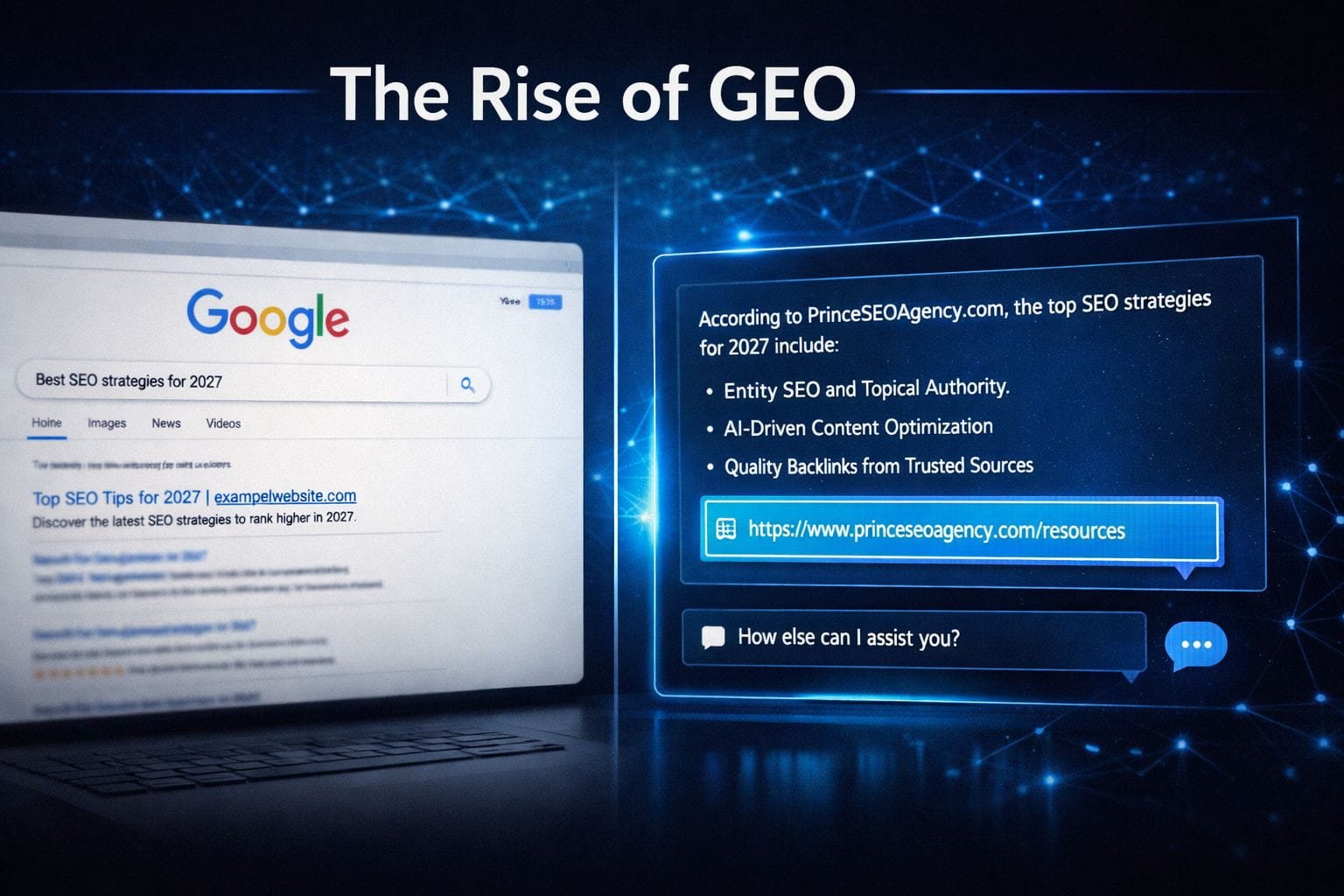
ChatGPT, Gemini, and Perplexity are now answering questions that used to belong to Google’s blue links. That means ranking #1 isn’t enough anymore you need to be the source that AI models cite.
This shift toward Answer Engine Optimization (AEO) and Generative Engine Optimization (GEO) is real. If your content isn’t structured for AI comprehension, it’s quietly getting bypassed.
At the same time, AI tools have made traditional SEO dramatically faster. Keyword clustering that used to take a full day now takes 20 minutes. Content briefs that required an analyst now require a prompt. For small teams and solo founders, this is a genuine leveling-up.
The problem is that most free tools are either limited, outdated, or buried under upsell walls. The goal of this guide is to cut through that noise.
How I Tested These Tools
I didn’t test these tools by watching YouTube tutorials or reading their landing pages.
I ran them on live projects. Specifically, I evaluated each tool across five criteria:
1. Accuracy — Does the data match reality? I cross-checked keyword data, traffic estimates, and content scores against paid tools like Ahrefs and Semrush.
2. Usability — Can someone use this without a manual? I gave select tools to a junior team member and watched where they got stuck.
3. SEO Impact — Did using this tool lead to measurable results? I tracked rankings before and after for pages where I applied each tool’s recommendations.
4. Free Tier Depth — How much can you actually do without paying? Many tools advertise “free” but lock every useful feature behind a paywall.
5. AI Search Readiness — Does it help you optimize for AI overviews, featured snippets, and entity-based search? This was a newer criterion I added mid-testing, and it separated the modern tools from the legacy ones.
Best Free AI SEO Tools in 2026 Quick Comparison Table
| Tool | Best For | Free Tier Limit | AI-Ready? | Ease of Use |
|---|---|---|---|---|
| Google Search Console | Rank tracking & indexing | Unlimited | ✅ | ⭐⭐⭐⭐ |
| Ahrefs Webmaster Tools | Backlink + on-page audit | 1 site | ✅ | ⭐⭐⭐⭐ |
| Semrush Free | Keyword research | 10 queries/day | ✅ | ⭐⭐⭐⭐ |
| ChatGPT (Free) | Content drafting & ideation | Limited GPT-4o | ✅ | ⭐⭐⭐⭐⭐ |
| Ubersuggest Free | Keyword + site audit | 3 searches/day | Partial | ⭐⭐⭐⭐ |
| Google Trends | Topic & trend research | Unlimited | ✅ | ⭐⭐⭐⭐⭐ |
| AnswerThePublic (Free) | Question-based keywords | 3 searches/day | ✅ | ⭐⭐⭐⭐ |
| Screaming Frog (Free) | Technical SEO crawl | Up to 500 URLs | ✅ | ⭐⭐⭐ |
| Rank Math (Free) | On-page optimization (WP) | Unlimited (WP) | ✅ | ⭐⭐⭐⭐ |
| Google’s Rich Results Test | Schema & structured data | Unlimited | ✅ | ⭐⭐⭐⭐⭐ |
Best Free AI SEO Tools Detailed Breakdown
1. Google Search Console
What it does: GSC is your direct line to Google. It shows you which queries are sending traffic, which pages are indexed, what your click-through rates look like, and whether Google has any issues crawling your site.
Best use case: Understanding what you already rank for and finding “striking distance” keywords — terms where you’re on page 2 or 3 and a little push could move you to page 1.
My experience: This is the tool I open every single Monday morning. The “Search Results” report combined with the “Pages” filter is where I find the fastest wins. I once found a page ranking #8 for a high-intent keyword, rewrote the title tag and intro, and watched it climb to #3 within two weeks. No paid tools involved.
The new “Search Appearance” filters in 2025–26 now show AI Overview impressions separately, which is incredibly useful for understanding your GEO performance.
Pros:
- Free, unlimited, and directly from Google
- Shows real performance data not estimates
- AI Overview impression data now available
- Core Web Vitals + indexing reports included
Cons:
- 16-month data window only
- No competitor data
- Keyword data is sampled (not 100% accurate for low-volume terms)
When to use: Always. This should be open daily regardless of what other tools you use.
When to avoid: When you need competitor research or keyword discovery from scratch — GSC won’t help there.
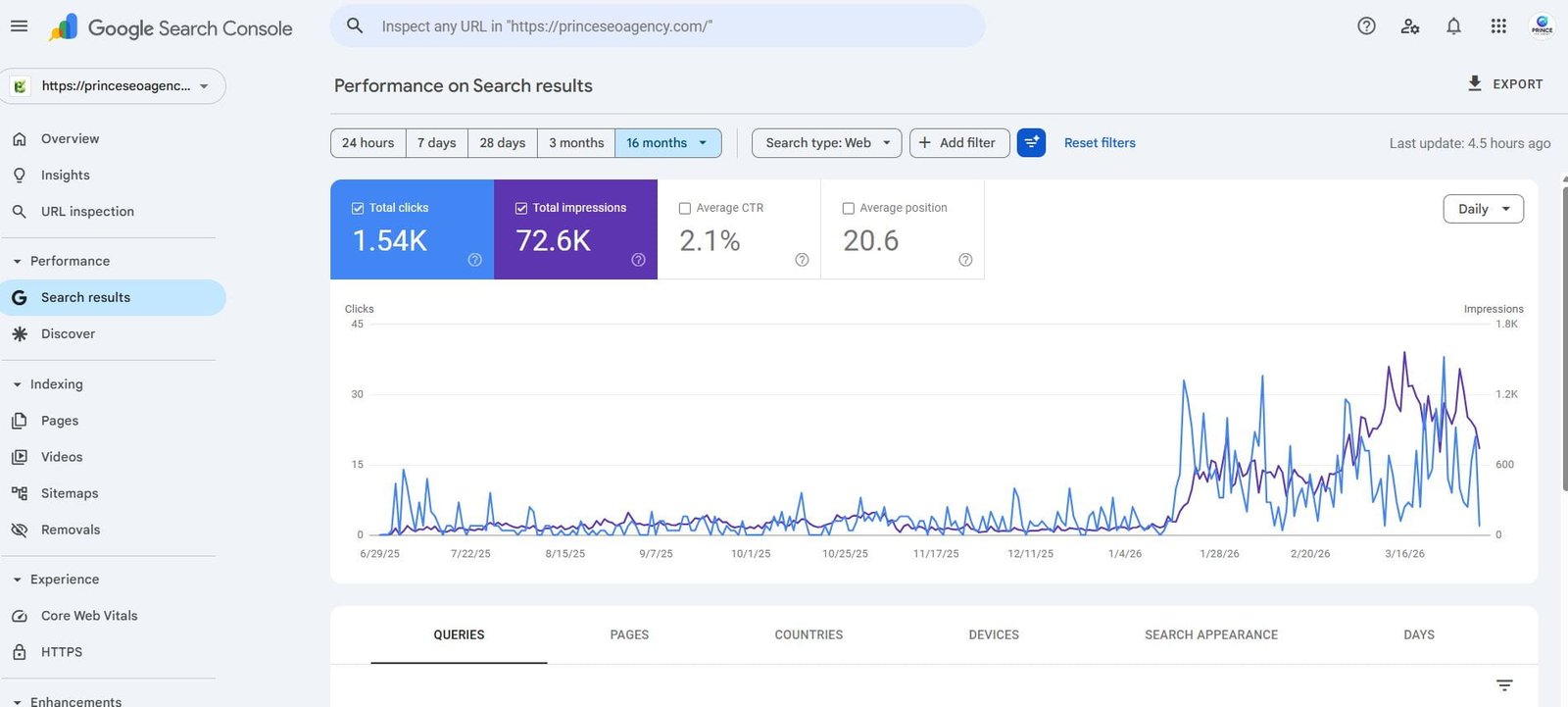
This is a real screenshot from my Google Search Console used for client SEO analysis.
2. Ahrefs Webmaster Tools (Free)
What it does: Ahrefs Webmaster Tools gives you access to Ahrefs’ backlink index and on-page SEO audit for sites you own and verify. It’s a stripped-down version of their paid product, but the core functionality is genuinely powerful.
Best use case: Running a full backlink audit and identifying technical SEO issues on your own site without paying.
My experience: I was skeptical about how much value the free version would deliver. I was wrong. The Site Audit feature crawled one of my client’s 400-page sites and surfaced 23 broken internal links, 14 pages with duplicate meta descriptions, and 8 redirect chains — all issues that were quietly suppressing rankings. Fixing them led to a noticeable crawl rate improvement within 30 days.
The backlink data is accurate. I’ve cross-checked it against paid Ahrefs accounts and the gap is minimal for most sites.
Pros:
- Industry-leading backlink data (even in the free version)
- Full site audit for verified sites
- Keyword ranking data included
- No query limits for your own sites
Cons:
- Only works for sites you verify (no competitor research)
- No content explorer or keyword explorer access
- UI can feel complex for beginners
When to use: As your primary technical audit and backlink tracking tool especially if you can’t afford paid Ahrefs.
When to avoid: When you need to research competitors’ keywords or backlink profiles.
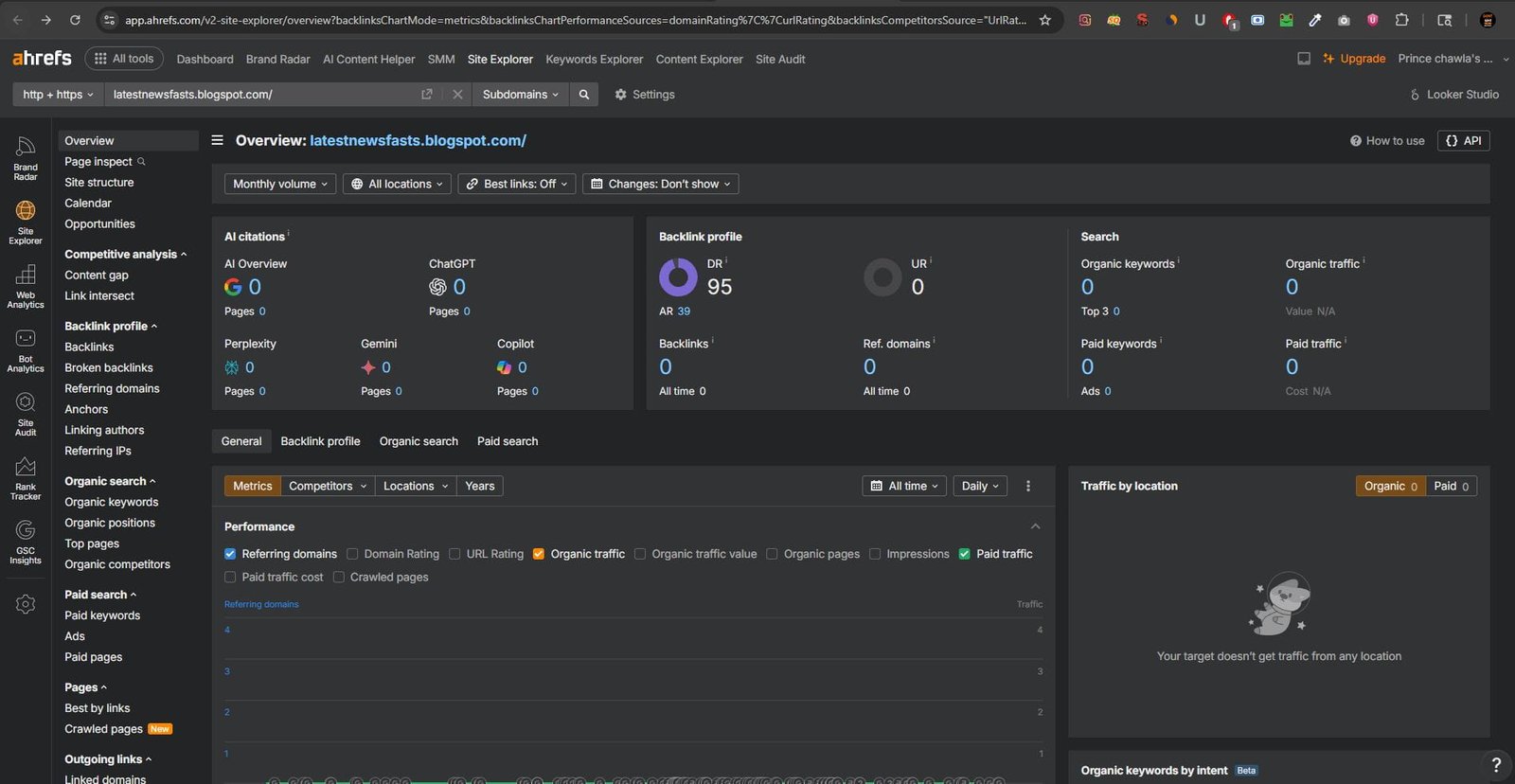
This is a real Ahrefs Webmaster Tools screenshot used in my SEO audit process.
3. ChatGPT (Free Tier)
What it does: You know what ChatGPT does. But most SEOs are using it wrong. It’s not a content generator it’s a thinking partner and structure builder.
Best use case: Creating content briefs, generating semantic keyword clusters, writing meta descriptions at scale, and building FAQ sections optimized for featured snippets.
My experience: I’ve replaced three separate tools with ChatGPT prompting workflows. My current setup: I paste a target keyword, a SERP screenshot summary, and a content brief template into a saved prompt. It returns a full article structure with semantic keywords, related questions, and suggested internal link anchors in under two minutes.
The free GPT-4o access introduced in 2024 made a big difference. The quality gap between free and paid is now about frequency limits, not capability.
Pros:
- Incredible for ideation, structuring, and semantic mapping
- Dramatically speeds up content brief creation
- Can be prompted to write in your brand voice
- Free tier now includes GPT-4o (with limits)
Cons:
- Makes things up (hallucinations are real always verify facts)
- Keyword volume data is unreliable never use it for that
- Free tier hits rate limits quickly with heavy use
- Output needs editing to remove generic AI tone
When to use: For structure, briefs, meta descriptions, FAQ generation, and internal linking strategy.
When to avoid: For factual claims, statistics, or keyword data always verify with a dedicated SEO tool.
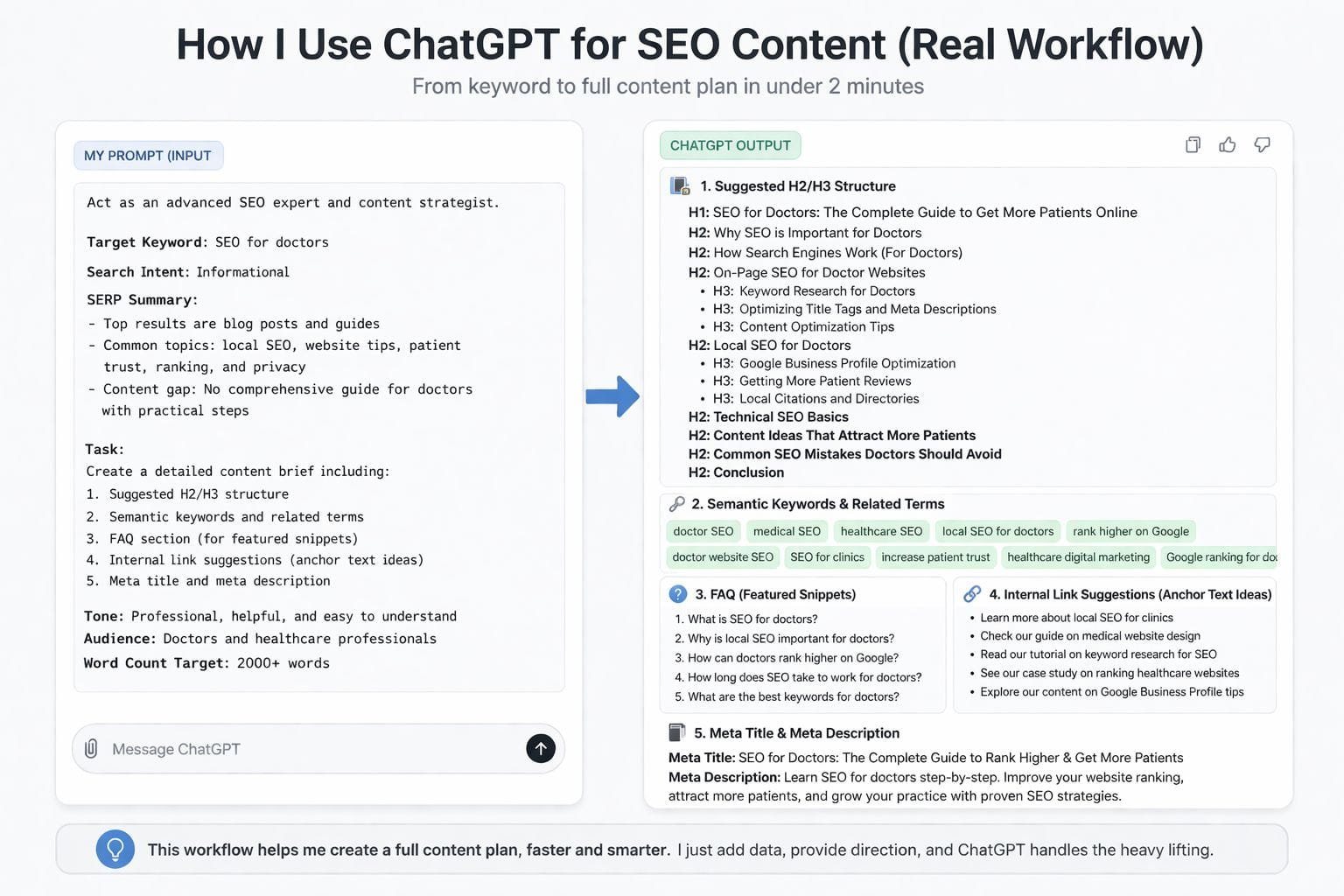
This is a real workflow I use in my SEO process to plan high-ranking content.
BONUS PROMPT
Want to try this workflow yourself?

Use this prompt:

Act as an advanced SEO expert and content strategist.

Target Keyword: [Enter your keyword]

Search Intent: Informational / Commercial / Transactional

SERP Summary:
- Analyze top 5 results and summarize key topics
- Identify content gaps and missing angles

Task:
Create a detailed SEO content brief including:
1. Suggested H1, H2, H3 structure
2. Semantic keywords and related terms
3. FAQ section (optimized for featured snippets)
4. Internal linking suggestions (anchor text ideas)
5. Meta title and meta description

Tone: Professional, human, and easy to understand
Audience: [Define your audience]
Word Count Target: 1500–2500 words
I personally use this system for client SEO and content strategy
4. Semrush Free Account
What it does: Semrush’s free tier gives you access to their keyword research database, domain overview, and backlink checker with limited daily queries.
Best use case: Keyword difficulty research and competitor organic traffic estimates.
My experience: The 10 queries per day is genuinely limiting, but if you’re strategic about it, it’s enough for a focused research session. I use it specifically for checking keyword difficulty scores and pulling the top 10 organic keywords for a competitor’s domain. For small businesses and early-stage sites, that’s often all you need.
The Domain Overview report gives you a surprisingly detailed snapshot organic traffic estimate, top keywords, referring domains all on the free tier.
Pros:
- Highly accurate keyword difficulty scores
- Excellent competitor traffic estimation
- Clean, intuitive UI — easiest to learn of any SEO tool
- Position tracking for up to 10 keywords free
Cons:
- 10 searches per day evaporates fast
- No access to content marketing tools on free tier
- Historical data is paywalled
When to use: For targeted competitor research and keyword difficulty validation.
When to avoid: As your primary keyword research tool if you’re doing research at any volume — the limits will frustrate you.
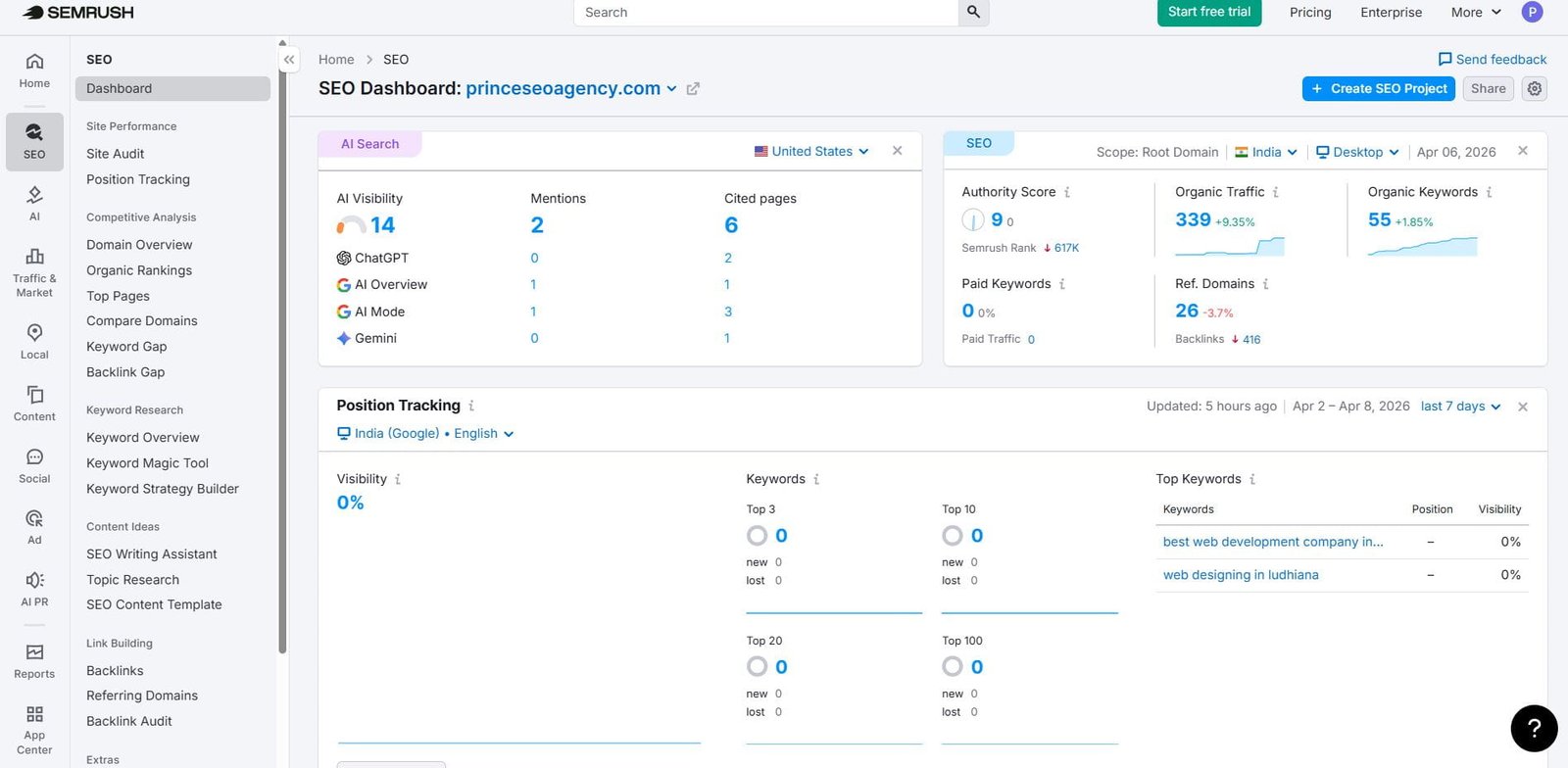
This is a real Semrush dashboard used in my SEO research and keyword analysis process.
5. Google Trends
What it does: Google Trends shows you search interest over time for any keyword, lets you compare multiple terms, and breaks down interest by geography and related queries.
Best use case: Validating keyword trends before creating content, finding seasonal content opportunities, and identifying rising topics before they peak.
My experience: This is one of the most underused tools in SEO. I used it to identify that a client’s primary keyword had a consistent annual traffic spike every September which we used to plan a content push 6 weeks in advance. The result was our best organic month ever for that site.
The “Rising” related queries section is particularly valuable for spotting emerging topics that tools like Ahrefs and Semrush haven’t fully indexed yet.
Pros:
- Completely free with no limits
- Real Google data, not estimates
- Excellent for seasonal and trend-based content planning
- Geographic breakdown helps with local SEO
Cons:
- Relative data only no absolute search volumes
- Not useful for keyword volume research
- Limited to trend validation, not discovery
When to use: Before creating any piece of content validate that interest is trending up, not declining.
When to avoid: When you need search volume numbers pair it with Semrush or Ahrefs for that.
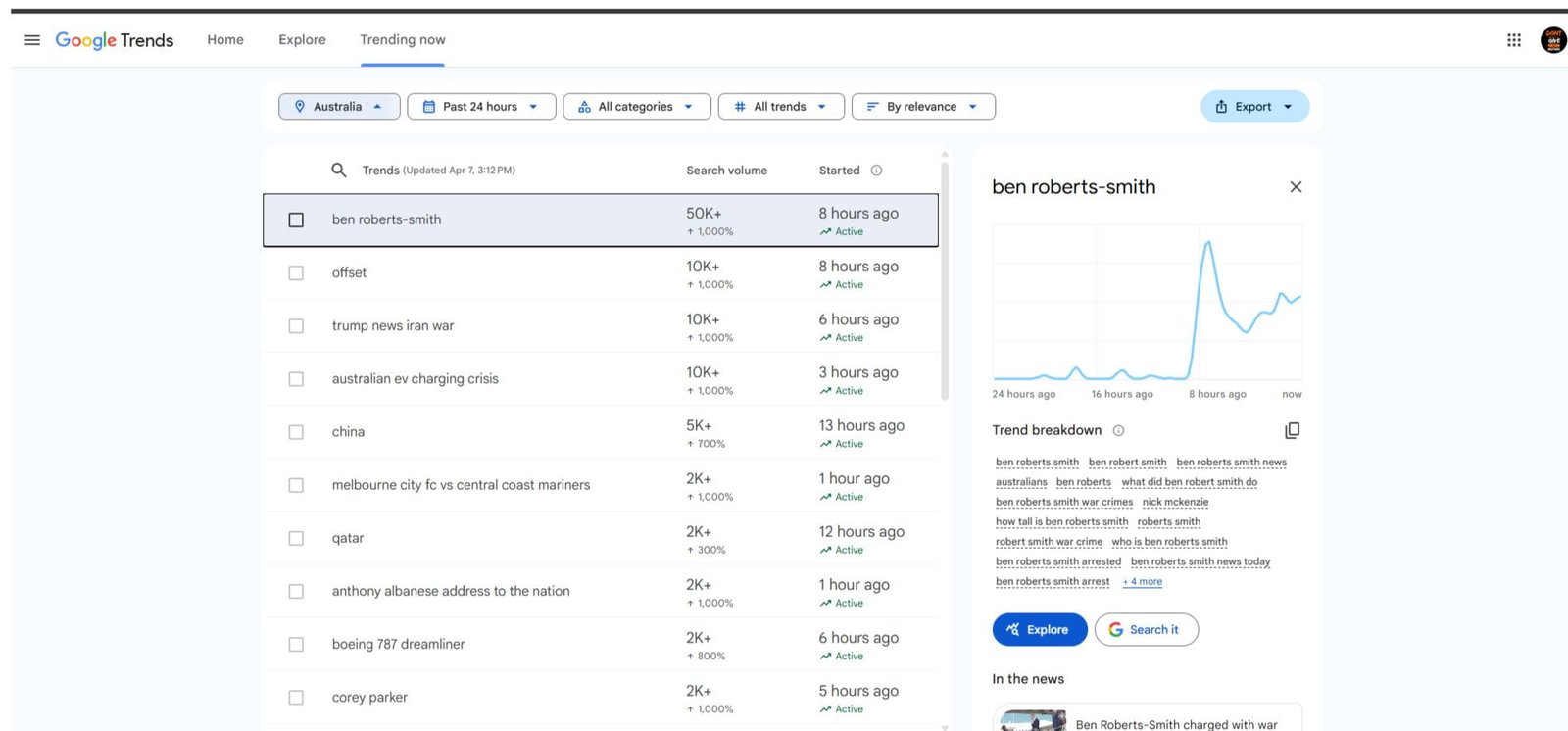
This is real Google Trends data I use to plan SEO and content strategy.
6. AnswerThePublic
What it does: AnswerThePublic visualizes all the questions, comparisons, and prepositions people type around a keyword — essentially mapping the full question universe for any topic.
Best use case: Building FAQ sections, finding long-tail question keywords, and structuring content to capture featured snippets.
My experience: The free tier gives you 3 searches per day, which is limiting but workable. I use it specifically when writing a new pillar page. Plugging in my primary keyword gives me 40–80 real questions people are asking which I turn into H2s, H3s, and FAQ schema markup. Pages structured around these questions consistently perform better in AI Overviews.
Pros:
- Visually intuitive — great for presenting to clients
- Surfaces questions you’d never think to target
- Excellent for AEO and featured snippet optimization
- Data is based on autocomplete suggestions (real user intent)
Cons:
- Only 3 searches/day free
- No search volume data
- Can feel overwhelming with too many results
When to use: When building content structure for long-form articles or FAQ pages.
When to avoid: As a daily research tool save your free searches for important projects.
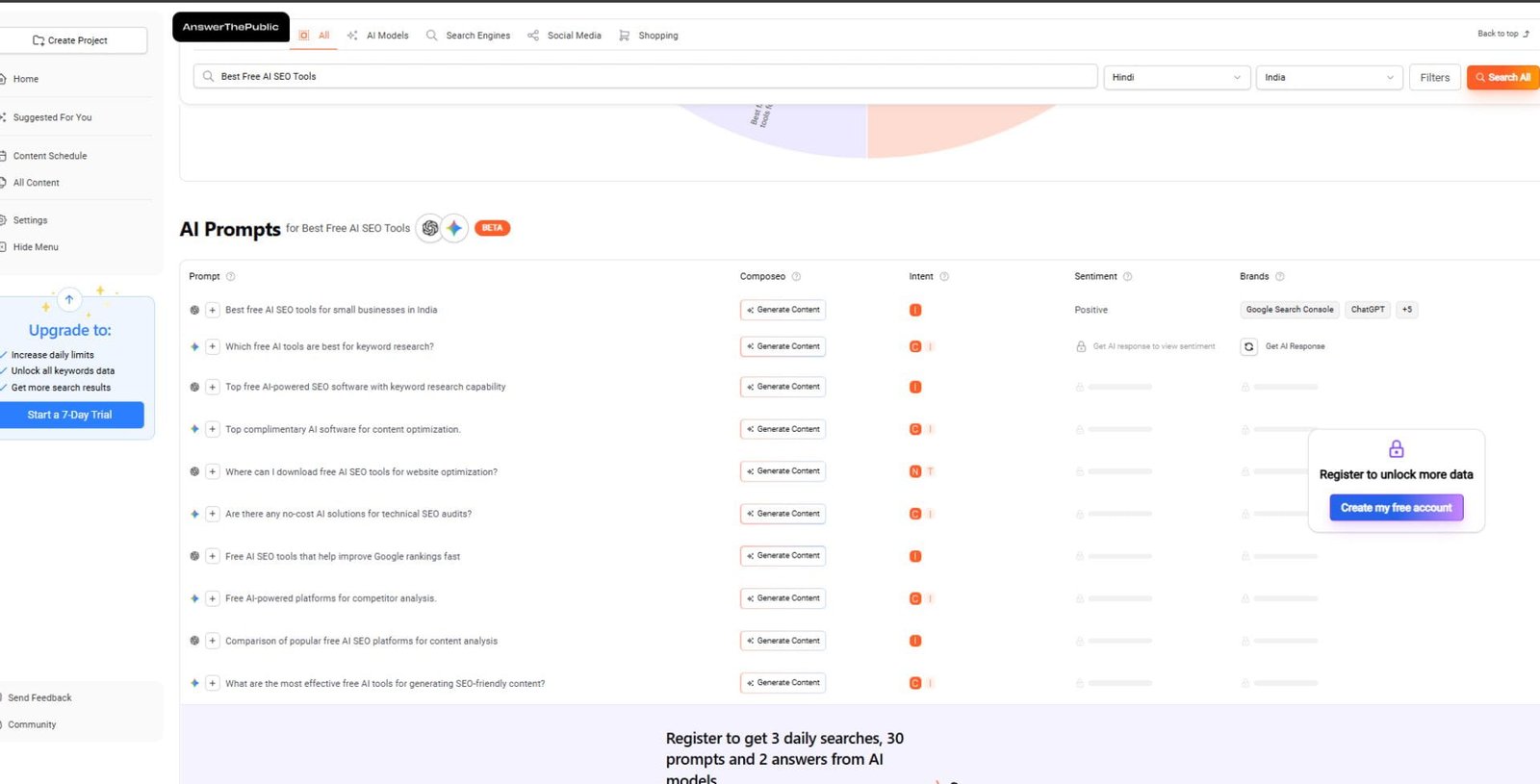
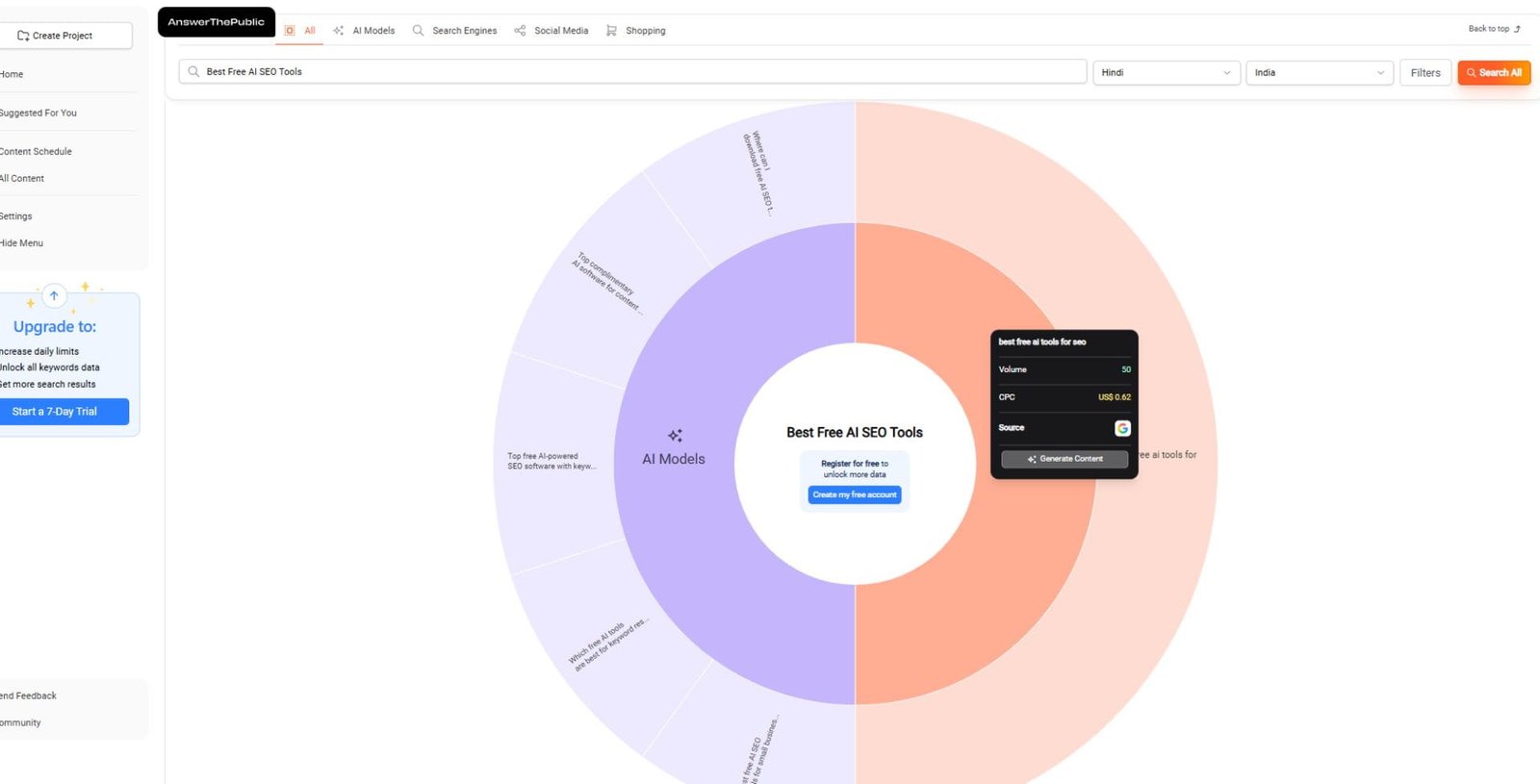
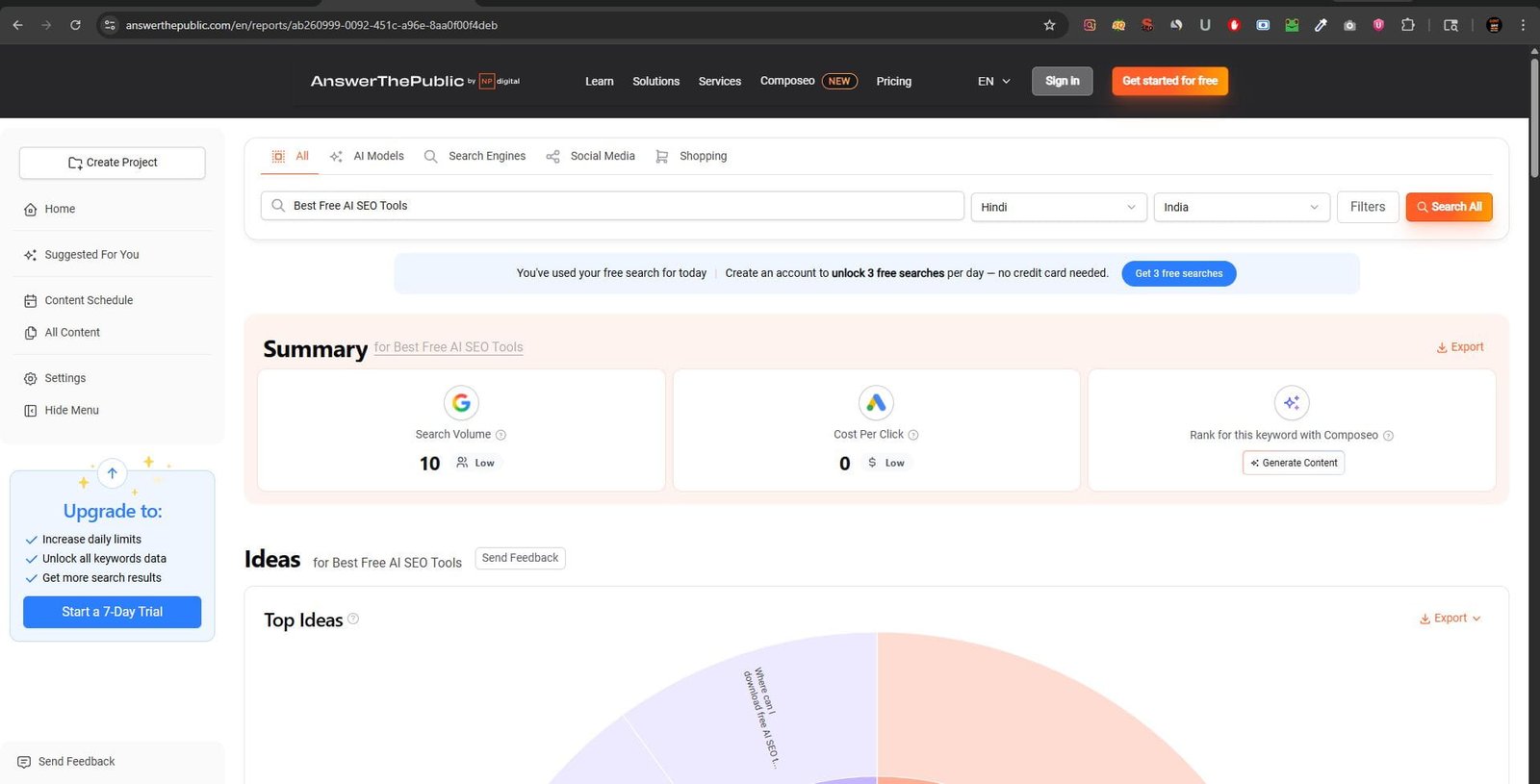
Here’s how I find real questions, content ideas, and keyword opportunities before writing any SEO article:
BONUS
Pro tip: I turn these questions into headings (H2, H3) and FAQ schema — this is one of the easiest ways to rank in featured snippets and AI-generated answers.
7. Screaming Frog SEO Spider (Free)
What it does: Screaming Frog crawls your website and returns a detailed spreadsheet of every URL, title tag, meta description, H1, status code, canonical tag, and more.
Best use case: Technical SEO audits — finding crawl errors, duplicate content, broken links, and redirect chains.
My experience: I’ve been using Screaming Frog since 2019 and the free tier (500 URLs) still does the job for small and medium sites. For a recent client site with 380 pages, it found 47 redirect chains, 12 missing H1 tags, and 19 pages with title tags over 60 characters. Fixing those issues helped the site recover from a partial traffic drop within 45 days.
The 2025 update added better integration with the Google APIs, so you can now pull GSC and GA4 data directly into the crawl — even on free.
Pros:
- Best-in-class technical crawl data
- Free up to 500 URLs covers most small sites
- Exports to CSV for easy analysis
- Integrates with GSC, GA4, and PageSpeed API
Cons:
- 500 URL limit can be hit quickly on larger sites
- Desktop app only — no cloud crawling on free tier
- Steep learning curve for beginners
When to use: For any technical SEO audit on sites under 500 pages.
When to avoid: On large enterprise sites you’ll hit the limit and need the paid version.
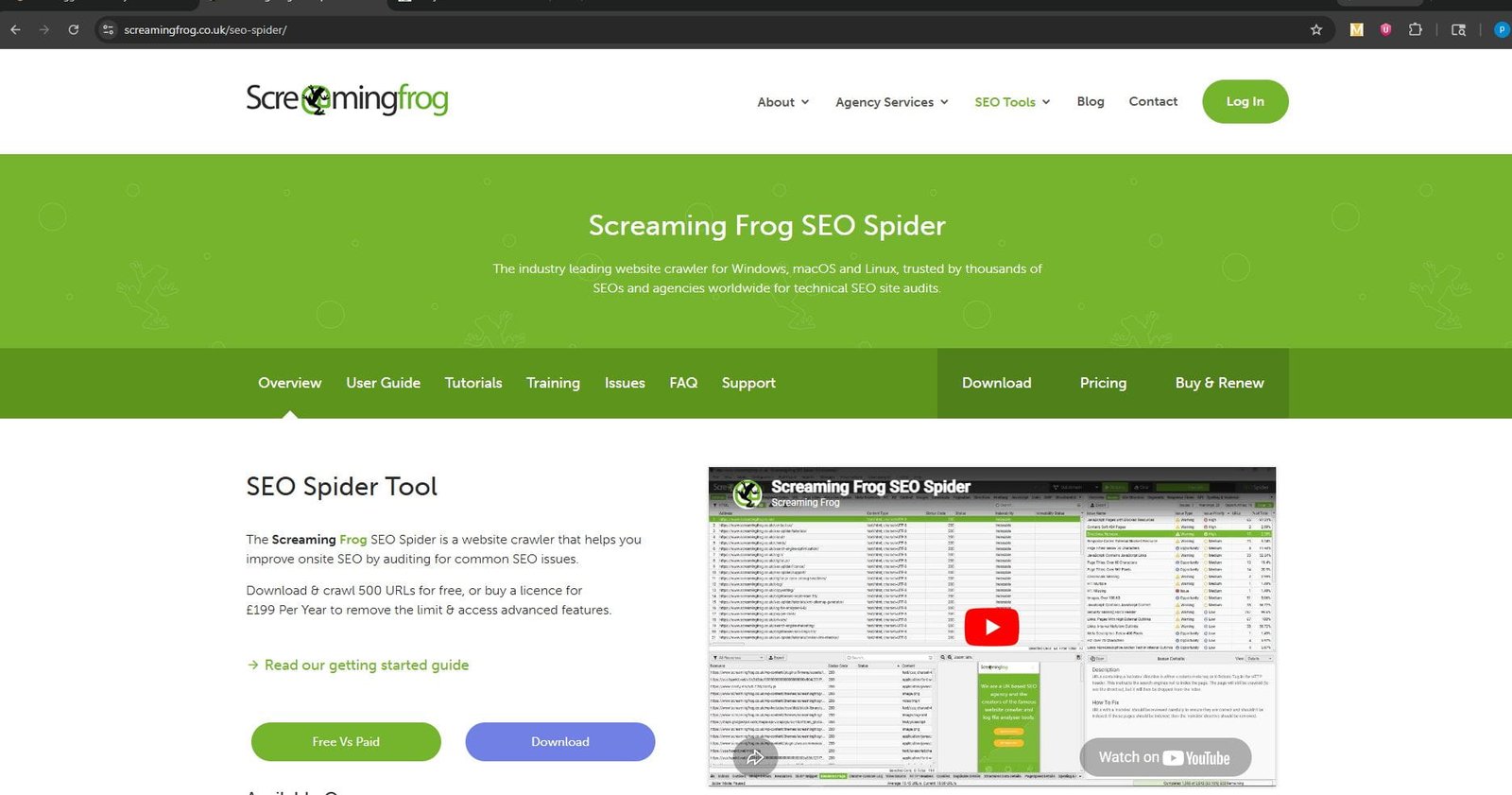
This is the exact tool I use during technical audits most SEO issues are invisible until you crawl the site.
BONUS SECTION
What I usually check here:

– Broken links (404 errors)
– Redirect chains (waste crawl budget)
– Missing or duplicate title tags
– Missing H1 tags
– Canonical issues
– Indexability problems

These small technical fixes often bring faster ranking improvements than writing new content.
8. Rank Math (Free WordPress)
What it does: Rank Math is a WordPress plugin that provides on-page SEO optimization, schema markup, sitemap generation, and basic rank tracking.
Best use case: On-page SEO optimization for WordPress sites — it’s the most capable free on-page tool available for WP.
My experience: I’ve migrated three clients from Yoast to Rank Math in the past year and haven’t looked back. The free Content AI suggestions (limited but useful) give actionable keyword placement recommendations. The schema markup generator is particularly strong — you can add FAQ, Article, Product, and LocalBusiness schema without touching code.
The built-in SEO score system keeps writers accountable for on-page basics without them needing SEO training.
Pros:
- Most powerful free on-page SEO plugin for WordPress
- Schema markup builder included
- Built-in 404 monitor and redirection manager
- Clean integration with Google Search Console
Cons:
- WordPress only useless for other platforms
- Content AI features are severely limited on free tier
- Plugin updates can occasionally conflict with other plugins
When to use: On any WordPress site as your primary on-page optimization layer.
When to avoid: If you’re not on WordPress look at Surfer SEO or NeuronWriter alternatives.
This is the plugin that controls how your content appears in Google:
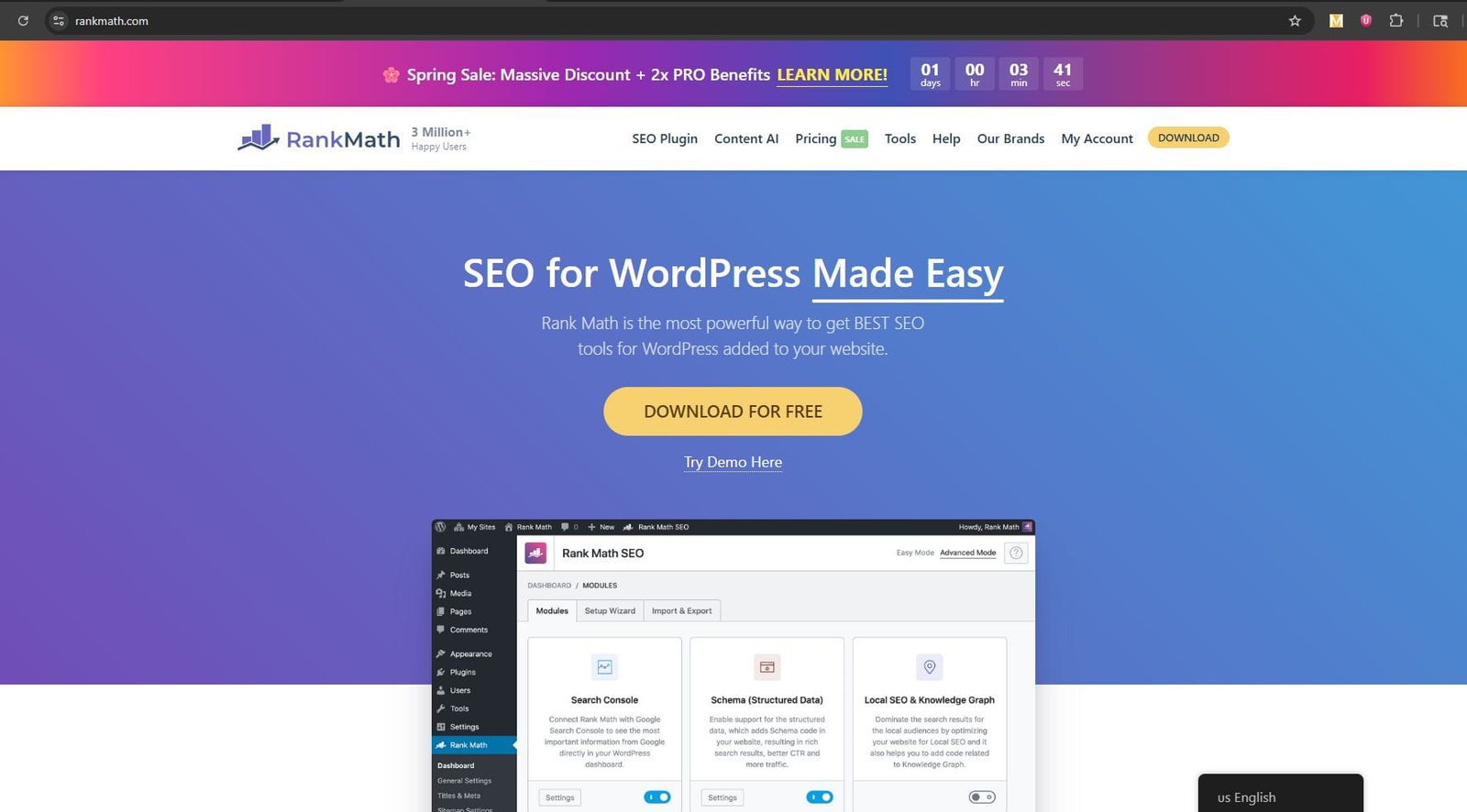
This image shows the Rank Math SEO plugin interface inside WordPress. It helps optimize on-page SEO, manage schema markup, connect Google Search Console, and control indexing settings for better search visibility.
BONUS SECTION
What I use Rank Math for:

– Meta titles & descriptions optimization
– FAQ & Article schema (very important for AI results)
– XML sitemap control
– Index / Noindex management
– Internal linking suggestions
– Google Search Console integration

Without this, your content may be good… but not properly understood by Google
9. Google’s Rich Results Test
What it does: Google’s official tool validates whether your structured data (schema markup) is eligible for rich results in search — things like FAQ snippets, star ratings, recipes, and event listings.
Best use case: Testing and validating schema markup before publishing, and troubleshooting why rich results aren’t showing.
My experience: I use this every time I add schema to a page. It’s the ground truth — if Google’s tool says your schema is valid, it’s valid. I’ve caught errors that would have silently blocked rich results on multiple occasions, including a misplaced closing bracket in FAQ schema that Rank Math didn’t flag.
Pros:
- Official Google tool — completely authoritative
- Real-time validation with detailed error messages
- Free and unlimited
- Works via URL or code snippet
Cons:
- Doesn’t guarantee rich results will show — just that you’re eligible
- Can’t bulk-test multiple pages
When to use: Every time you implement or edit structured data on a page.
When to avoid: There’s no reason to avoid it it takes 30 seconds.
Most people add schema… but never check if Google actually reads it:
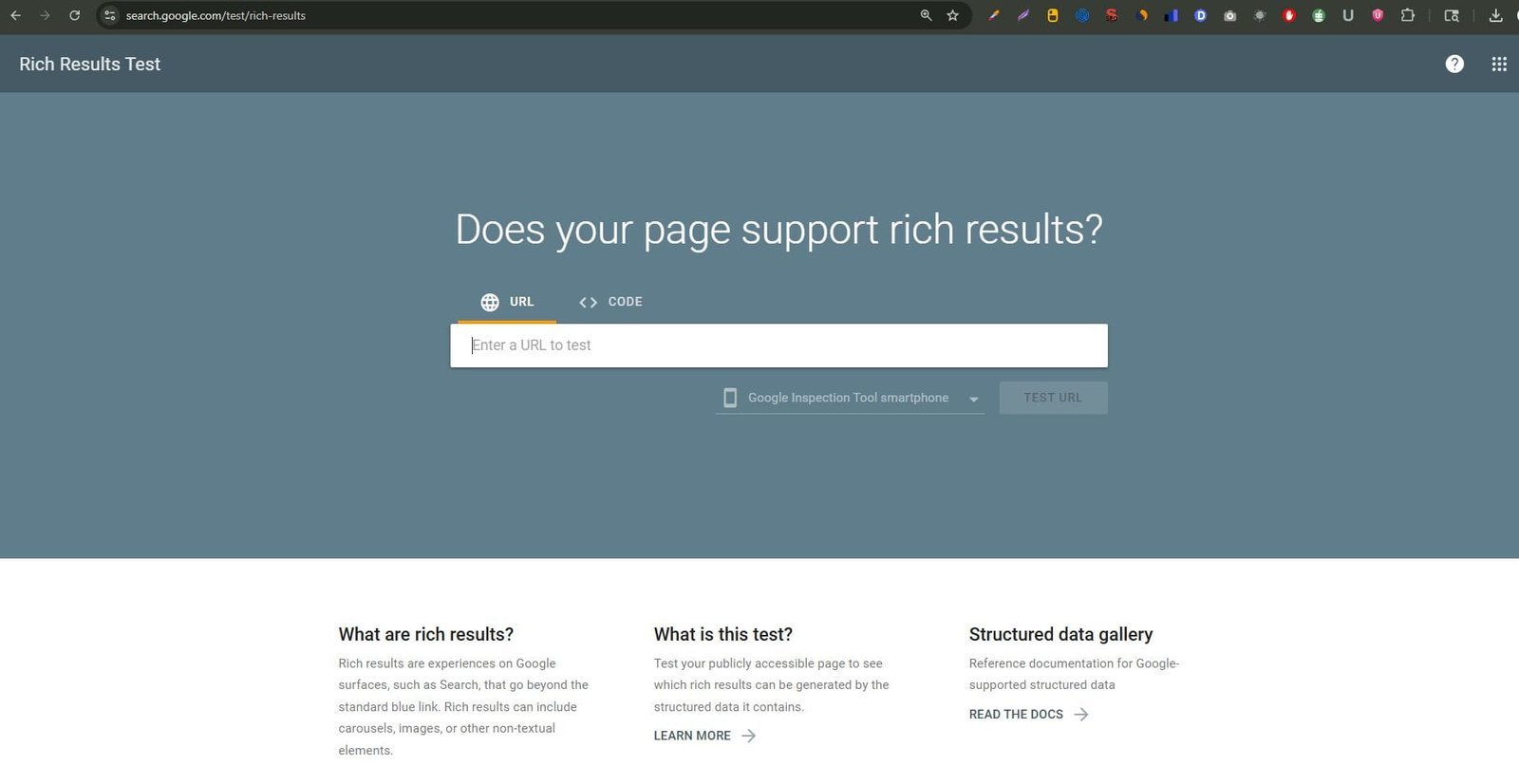
If you're not testing your schema here, you're guessing and guessing doesn’t rank.
10. Ubersuggest (Free)
What it does: Neil Patel’s Ubersuggest offers keyword research, domain analysis, content ideas, and a basic site audit on a freemium model.
Best use case: Quick keyword research for beginners who find Ahrefs or Semrush overwhelming.
My experience: Honest take — the free tier is quite limited now, and the data accuracy has been a concern compared to Ahrefs. The 3 searches per day is the tightest free limit of any tool I tested. That said, for someone just starting out who finds Semrush’s UI intimidating, Ubersuggest is a gentler entry point.
The Content Ideas feature occasionally surfaces genuinely useful angles that other tools miss.
Pros:
- Very beginner-friendly interface
- Content ideas section can spark useful angles
- Site audit available on free tier
Cons:
- 3 searches/day is severely limiting
- Data accuracy lags behind Ahrefs and Semrush
- Heavy upsell pressure throughout the UI
When to use: As a starting point for keyword research if you’re brand new to SEO.
When to avoid: For serious keyword research once you’re past the beginner stage graduate to Ahrefs Webmaster Tools or Semrush free.
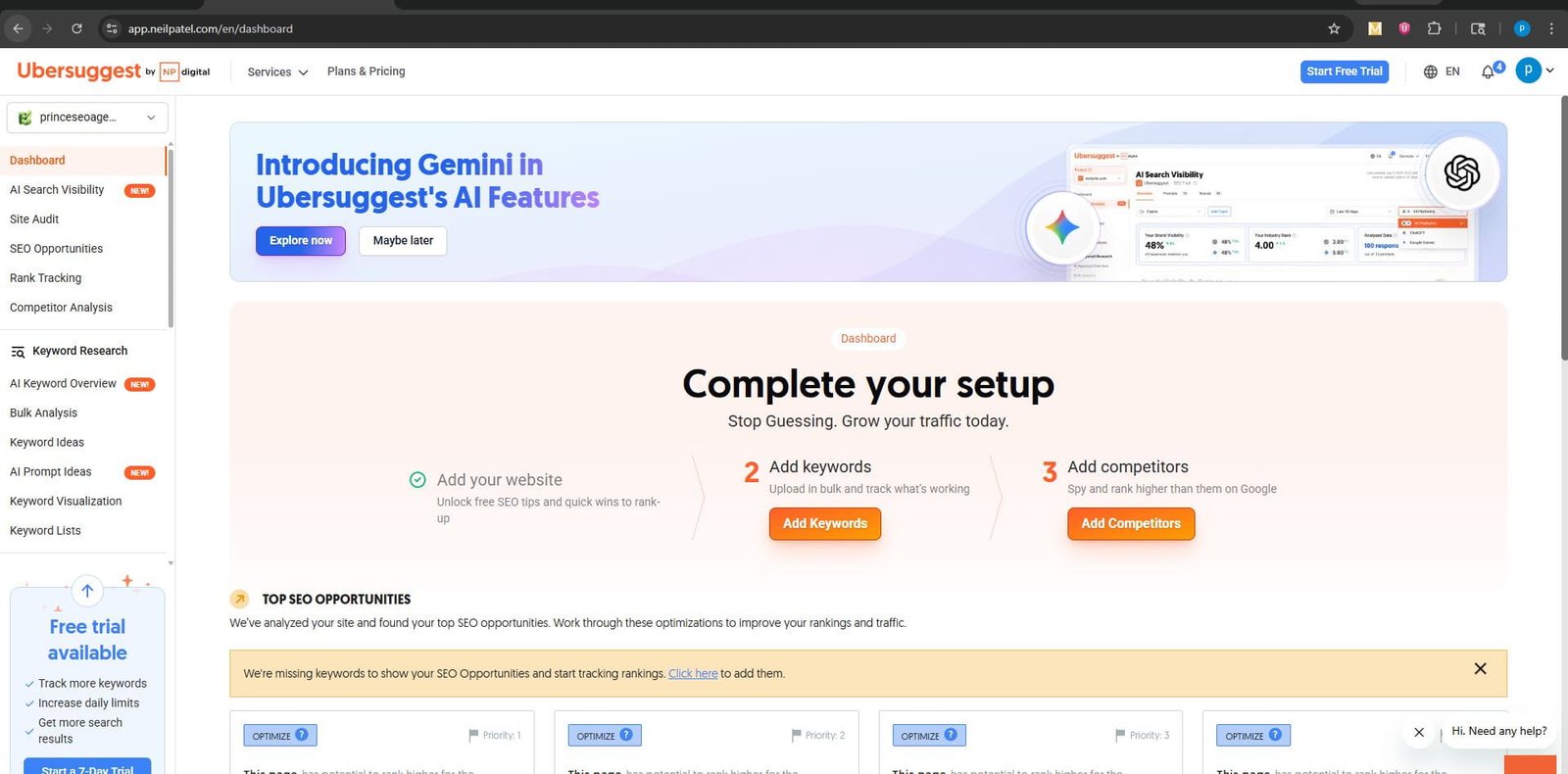
This is exactly how Ubersuggest looks inside good for beginners, but I personally don’t rely on it for serious keyword decisions.
Video Tutorials & Demos
The tools above are best learned by watching them in action. Here are spaces to embed walkthrough videos for each:
How to Use Google Search Console in 2026″
Ahrefs Free Tools Complete Guide
Best ChatGPT SEO Prompts 2026
Screaming Frog Free Tier Full Walkthrough
Rank Math Free Plugin Setup for WordPress
Build Your Free SEO Stack Step by Step
You don’t need to use all 10 tools. Here’s the exact stack I’d build from scratch if I was starting today with zero budget.
[INFOGRAPHIC SPACE] Prompt: “AI SEO workflow diagram — 5-step funnel from keyword research to tracking, with tool icons at each stage”
Step 1: Keyword Research Use Google Trends to validate topic direction, then use Semrush Free (10 queries/day) for volume and difficulty data. Use AnswerThePublic to find question-based long-tail variations.
Step 2: Content Creation Use ChatGPT to build your content brief, generate your semantic keyword map, and draft your FAQ section. Write the actual content yourself AI drafts, you finalize.
Step 3: On-Page Optimization Use Rank Math (WordPress) to optimize title tags, meta descriptions, and schema. Cross-reference with the Rich Results Test to validate any schema you add
Step 4: Technical Audit Run Screaming Frog (free, up to 500 URLs) monthly to catch crawl issues, broken links, and redirect chains before they compound.
Step 5: Rank Tracking & Performance Use Google Search Console as your primary performance dashboard. Check weekly. Set up email alerts for coverage issues.
What I Learned After Testing These Tools
Three months of testing across real projects taught me a few things I didn’t expect.
Free tools are more powerful than most people think. The bottleneck isn’t the tools — it’s knowing what to do with the data. Google Search Console alone, used correctly, can drive more results than a $500/month tool stack used carelessly.
AI tools work best as speed multipliers, not replacements. ChatGPT drafting a content brief in 2 minutes is valuable because it gives me more time to think about strategy. It’s a terrible substitute for strategic thinking itself.
Technical SEO is still underrated. In almost every site I audited, fixing technical issues delivered faster ranking improvement than any new content. Screaming Frog found problems on every single site I crawled — without exception.
AEO is not optional anymore. Pages that answer questions clearly, in structured formats, with proper schema are appearing in AI Overviews at a noticeably higher rate. This isn’t a future trend — it’s happening right now.
Common Mistakes with AI SEO Tools
Over-relying on AI for content. The pages I’ve seen penalized or deindexed in 2025–26 share a common thread: they’re clearly AI-generated with no human layer on top. Google has gotten better at detecting thin, unedited AI content.
Skipping human editing. AI drafts need editing. Not light editing — real editing for accuracy, tone, and originality. If you’re publishing AI content straight from the tool, you’re building on a shaky foundation.
Ignoring tool data quality. Not all keyword volume data is equally accurate. Ubersuggest and smaller tools can be significantly off. Always cross-reference important keyword decisions against at least two sources.
Treating every tool as equally important. There’s a tendency to add every new AI tool to your workflow. That’s a distraction. Master three or four tools deeply before expanding your stack.
Forgetting about search intent. No AI tool can fully replace your judgment about what a searcher actually wants. Keyword data tells you what people search — not why, and not what would satisfy them.
My Recommended AI SEO Workflow
This is the actual workflow I use for every new piece of content:
1. Intent analysis — What is the searcher trying to accomplish? What type of content dominates the SERP (guides, tools pages, comparisons)?
2. Keyword mapping — Primary keyword + 5–8 semantic variations using Semrush + AnswerThePublic.
3. Brief creation — Use ChatGPT with a structured prompt: target keyword, SERP analysis, competitor word counts, required sections, and FAQ questions.
4. Human writing — Write the actual content. Use AI for phrasing help, but own the ideas.
5. On-page optimization — Rank Math score check. Title tag, meta description, internal links, schema.
6. Technical validation — Rich Results Test for schema. Screaming Frog check if it’s a new page structure.
7. GSC monitoring — Add to tracking. Review impressions and clicks at 2 weeks and 6 weeks.
The Future of AI SEO
The next 18 months are going to accelerate everything we’re already seeing.
AI Overviews are expanding. Google is surfacing AI-generated answers for more and more queries. Content that isn’t structured for comprehension and citation is quietly becoming invisible.
Entity SEO is now table stakes. Search engines understand entities — people, places, concepts — not just keywords. Building topical authority through interconnected, well-structured content clusters is the durable SEO strategy.
Answer Engine Optimization (AEO) is a real discipline. Optimizing for ChatGPT, Perplexity, and Gemini to cite your content requires different thinking than traditional Google SEO. Structured data, clear definitions, direct answers, and authoritative sourcing matter more than ever.
Voice and multimodal search will grow. As AI assistants become more integrated into daily life, the query patterns are shifting toward conversational language and visual queries.
The tools in this guide are relevant today. But the underlying principle — create genuinely helpful, well-structured content with proper technical foundations — will outlast every platform shift.
Frequently Asked Questions
Q: Are free AI SEO tools actually good enough for professional use?
Yes with limits. Google Search Console, Ahrefs Webmaster Tools, and Screaming Frog (free) are genuinely professional-grade. You’ll hit limitations on research depth, but the core functionality is solid
Q: Can I rank without paying for any SEO tools?
Absolutely. Many small businesses rank well using only free tools. The investment that matters most is time and content quality not paid software.
Q: Is ChatGPT good for SEO content writing?
It’s excellent for structure, briefs, and drafting. It’s not reliable for factual accuracy or brand-specific voice. Always edit AI-generated content before publishing.
Q: What’s the difference between AEO and SEO?
Traditional SEO optimizes for search engine rankings (blue links). Answer Engine Optimization (AEO) optimizes for AI systems and voice assistants that extract and present direct answers like ChatGPT, Perplexity, and Google’s AI Overviews.
Q: How often should I run a technical SEO audit?
Monthly for active sites. Quarterly for smaller, lower-traffic sites. Always after major site changes, plugin updates, or platform migrations.
Q: Which free tool is best for keyword research?
For volume and difficulty data, Semrush’s free tier is the most accurate. For question-based keywords and long-tail variations, AnswerThePublic is the best free option
Q: Does Google penalize AI-written content?
Google has stated it doesn’t penalize AI-generated content by default it penalizes thin, low-quality content. The source matters less than the quality. Heavily edited, helpful AI-assisted content is generally fine
Q: Is Google Search Console enough on its own?
For established sites that want to optimize existing rankings yes, it’s incredibly powerful. For discovery and competitor research, you’ll need to add at least one keyword research tool.
Q: What is schema markup and do I really need it?
Schema markup is structured data that helps search engines understand your content type. FAQ schema, Article schema, and LocalBusiness schema can qualify your pages for rich results and improved AI Overview citations. Yes it’s worth implementing.
Q: How long does it take to see results from SEO changes?
Technical fixes (broken links, redirect chains) can show crawl improvements within 2–4 weeks. On-page optimizations typically show ranking movement in 4–12 weeks. Content creation compounds over 3–6 months
Q: What’s the best free tool for tracking rankings?
Google Search Console is the most reliable free option for rank tracking, though it shows averages rather than daily positions. For more precise tracking, look at Google Analytics 4 paired with GSC
Q: Can Rank Math replace paid tools like Surfer SEO?
The free version of Rank Math covers on-page basics (title, meta, schema) very well. Surfer SEO’s content optimization with NLP scoring is more advanced. For most small businesses, Rank Math free is sufficient.
Q: How do I optimize for AI Overviews specifically?
Structure content with clear definitions, direct answers near the top of sections, proper heading hierarchy, FAQ schema, and authoritative sourcing. Google’s AI Overviews favor content that directly answers questions without burying the answer.
Q: Is Ahrefs Webmaster Tools truly free?
Yes for sites you own and verify. You get full site audit and backlink data for your own domains with no time limit. It’s one of the best free offers in SEO
Q: What should I focus on first content or technical SEO?
Fix technical issues first. A well-written page that can’t be properly crawled or has broken internal links will underperform. Fix the technical foundation, then invest in content
Trusted Resources & References
For deeper learning and up-to-date SEO guidance, these are the sources I trust:
- Google Search Central — Official documentation on how Google works, structured data, and best practices directly from the source.
- Ahrefs Blog — Some of the most rigorous, data-backed SEO research available. A must-follow for anyone serious about search.
- Semrush Blog — Strong coverage of keyword research strategy, content marketing, and algorithm updates.
- Moz Blog — Strong foundational content on SEO concepts, link building, and local SEO.
- Search Engine Journal — Reliable industry news and practical SEO guides updated regularly.
Final Thoughts
You don’t need a big budget to do great SEO in 2026.
What you need is a clear understanding of what each tool does, the discipline to use them consistently, and the judgment to know when the tool is giving you good data versus noise.
Start with Google Search Console. Add Ahrefs Webmaster Tools. Use ChatGPT for structure, not facts. Run Screaming Frog quarterly. That stack alone will outperform most paid tool setups used carelessly.
The tools keep getting better. The fundamentals haven’t changed.
Build helpful content. Structure it for humans and machines. Keep the technical foundation clean. And stop chasing every new AI SEO tool that launches master what you have first.
Found this useful? Share it with a founder or marketer who’s still paying for tools they don’t need. And if you want the downloadable checklist version of the free SEO stack above, grab it below.
[CHECKLIST DOWNLOAD SPACE “Free AI SEO Stack Checklist 2026 (PDF)”]